I finally started my vacation, but my last workday turned out to be slightly awful
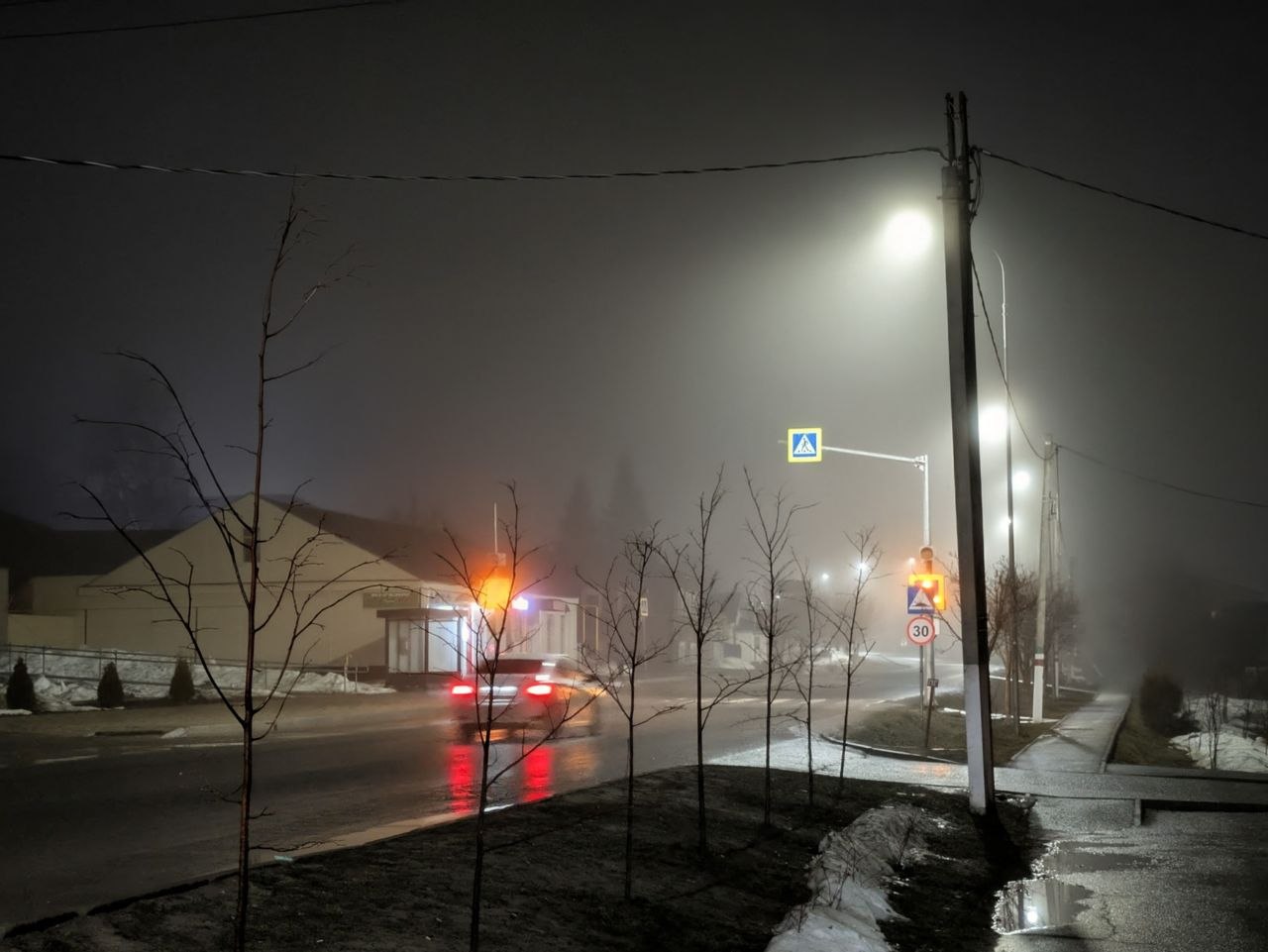
I started the day with a cloudy and foggy morning. The fog was extremely heavy and completely covered the city. From the window, I couldn’t see the hill at all — it was fully hidden and seemed to vanish into the fog. The last time I experienced something similar was during a winter blizzard and a few times in autumn, but today the fog felt much heavier than usual. Around the river, it was especially dense and almost perfectly white. I first noticed it from the window, but when I observed it from a distance, it looked even more beautiful. It felt as if a thick layer of fog was floating above the river, while other parts slowly spread across the hills and trees.
During the day, I ran into some issues with my laptop after yesterday’s updates, and overall the day didn’t go very smoothly. I also had a headache, and some work-related worries added a fair amount of stress. However, I want to share more about the laptop issue, because I had updated my BIOS firmware and previously mentioned that it could potentially cause problems with my operating system — and it turns out I was right. Now, after all these changes, I’m dealing with random freezes that last about 1–2 seconds. It’s quite frustrating, especially during work, as it kept interrupting me throughout the entire day.
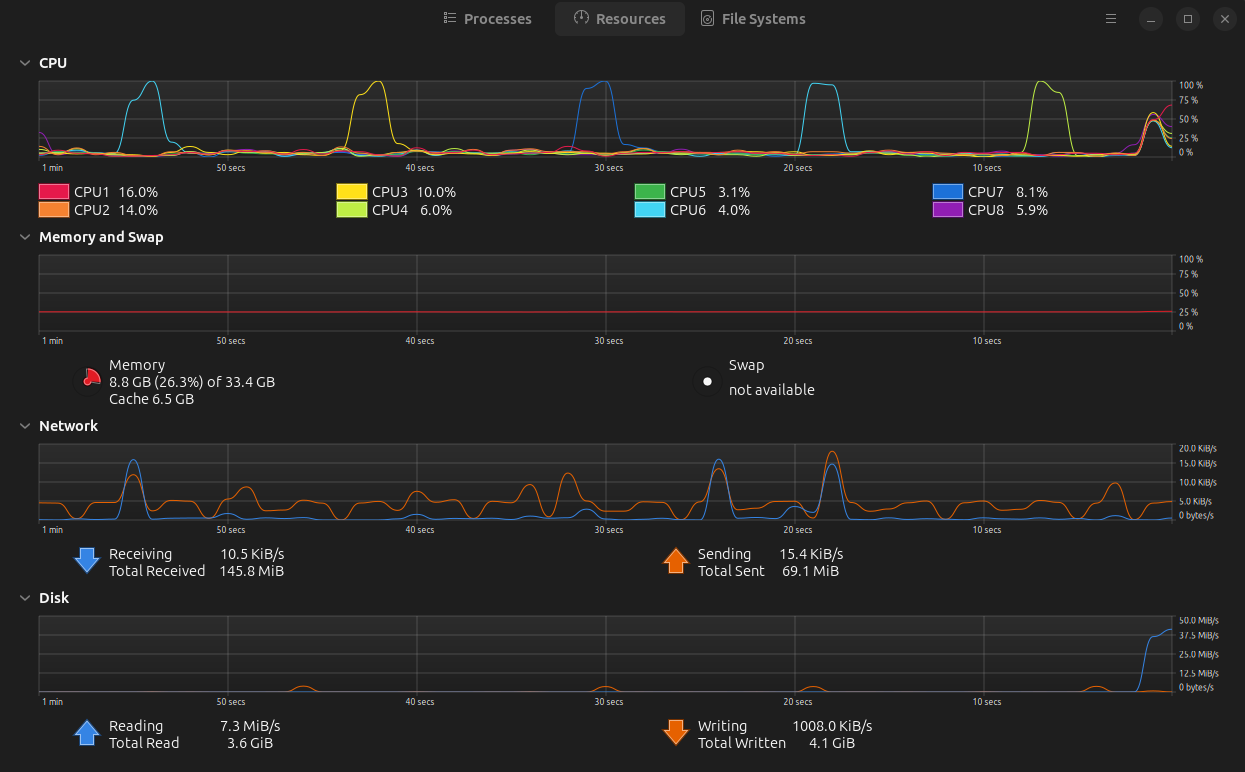
Here’s a screenshot from the system monitor app. In the first graph, you can see five spikes that appear to be responsible for the problem
At the moment, I don’t have a clear solution. I tried resetting the BIOS to its default settings and monitored processes and system resources using a system monitor app. It provides visual graphs of system activity, which helped me identify some patterns that might be useful. The most unusual thing is that at regular intervals (roughly every 20–30 seconds), my CPU usage suddenly spikes to 100%, and that’s exactly when the freezing occurs.
Finally I started my vacation, but my last workday was slightly awful
I started my day with a cloudy and foggy morning. Especially the fog was extremely heavy and covered our city completely. Through the window I couldn't look at the hill, it was fully covered and vanished in fog. Last time I noticed the same conditions during the winter while the blizzard and a few times during the autumn. But today the fog was much heavier than before, and around the river it was very consistent and white. I noticed it from the window, but when I watched it from a distance, it looked much more gorgeous. It looked like a heavy part of fog flew upon the river, and other parts covered the hill and trees.
During the day I had some issues with my laptop after my last updates from yesterday, and generally the day was slightly awful. Because I had a headache, and my work worries provided me some stressful moments. But I want to share something about my laptop issues, because I updated my BIOS firmware, and I mentioned that it can be dangerous for my operating system. So I was right about it. Now, after all these manipulations, I have issues with randomly freezing for about 1-2 seconds. Of course it's very annoying, because during my work it bothered me the whole day.
Right now I have no right decisions about how I can fix it. I tried to recover default settings for BIOS and just monitored processes and resources via the system monitor app. Because it showed me some graphics about my system resources, and it helped me realize some patterns that can be useful to figure it out. Fortunately, I noticed very strange graphics in the CPU section. That during the same time (it's around every 20-30 seconds), my CPU loaded until 100%, and as a result, I have freezing.